Your inspector spent hours documenting your home. HomeCommand turns that PDF — digital or scanned — into structured homes, systems, equipment, and issues you can sort, share, and act on. Upload once on Basic and your dashboard, maintenance seed data, and issue list stay tied to the same source of truth.
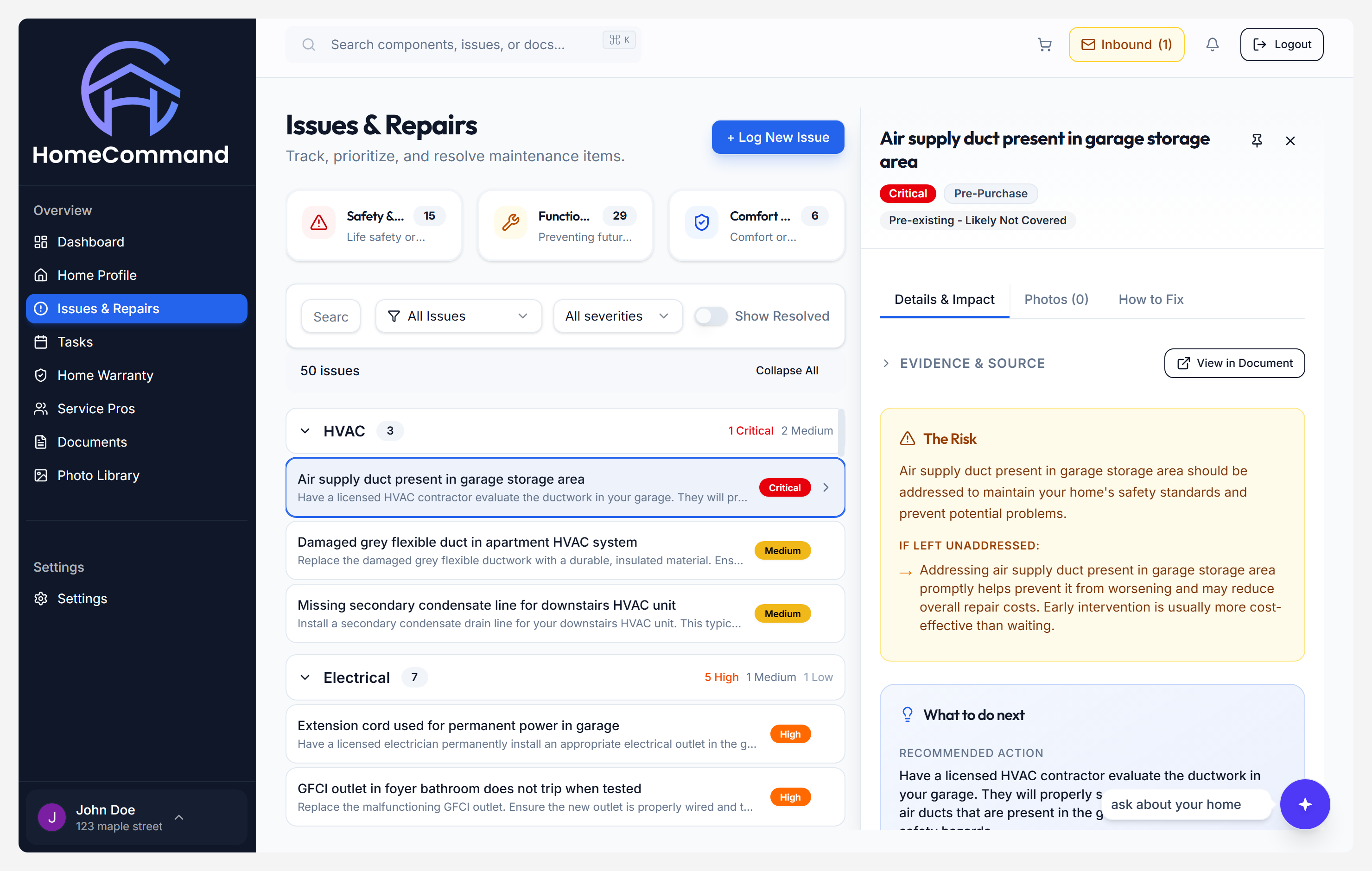
npm run capture:marketing in website/ (see repo scripts/README-SCREENSHOTS.md). Ballpark repair ranges next to issues (when visible in the product) are a
Pro
feature alongside warranty insights and multi-document analysis.
Upload your PDF
HomeGauge, Spectora, ISN, Tap Inspect, or any readable inspection PDF — we ingest the full file.
Review & confirm
Walk the extraction, correct anything that needs a human pass, and lock in the canonical home model.
Use your dashboard
Issues, equipment, health signals, and maintenance all read from the same structured data — not a static PDF viewer.
The goal is a normalized home record: everything the inspector captured, lifted out of linear PDF text and organized the way you actually think about the house — by system, risk, and equipment.
Issues & findings
Defects, safety callouts, and maintenance notes become structured issues with severity and category — not a flat list buried in narrative.
Equipment inventory
Water heaters, HVAC, panels, and other noted equipment become records you can filter and revisit, with brand, model, and age when the report includes them.
Photos & context
Visual references from the report stay attached to the findings they support so you can compare what the inspector saw with what you see today.
Recommendations
The inspector's own language and recommendations are preserved and tied back to systems and issues for contractors and insurers.
Home systems overview
Roof, envelope, electrical, plumbing, HVAC, and foundation roll up into a dashboard view so you can triage by system, not by PDF page order.
Every finding stays tied to the page (and context) it came from. When you hand work to a contractor or adjuster, you are sharing the inspector's words and images — not your paraphrase from memory.
Plans
Basic covers your first inspection end-to-end.
You get the full upload → review → dashboard flow, issue and equipment tracking, maintenance schedule generation, and secure document storage for that report. When you are ready to merge warranties, invoices, or follow-up inspections into one brain for the house, Pro adds multi-document analysis plus chat, warranty insights, repair ranges, service pro matching, and multiple properties.
Compare Basic vs Pro →Whether your inspector uses HomeGauge, Spectora, ISN, or a custom format — our AI reads the document and extracts the relevant information.
Upload your inspection report — free on Basic
Create an account, add a property, and run your first report through the confirm → review → dashboard flow. Upgrade to Pro when you want chat, more files, and contractor workflows on the same home record.
Upload your report →Explore more features
Maintenance Tracker
Seasonal tasks from your systems and findings, with a log you can build over time.
AI Home Assistant
Pro-only chat grounded in your uploads, with traceability back to document context.
Service Pro Finder
Pro-only matching from each issue to local trades near your property.