Stop guessing what to maintain and when. Once your inspection is processed, HomeCommand seeds a maintenance plan from the same structured equipment and systems data that powers your dashboard — then you check work off, add notes, and build a timeline you can show a buyer or a pro years later.
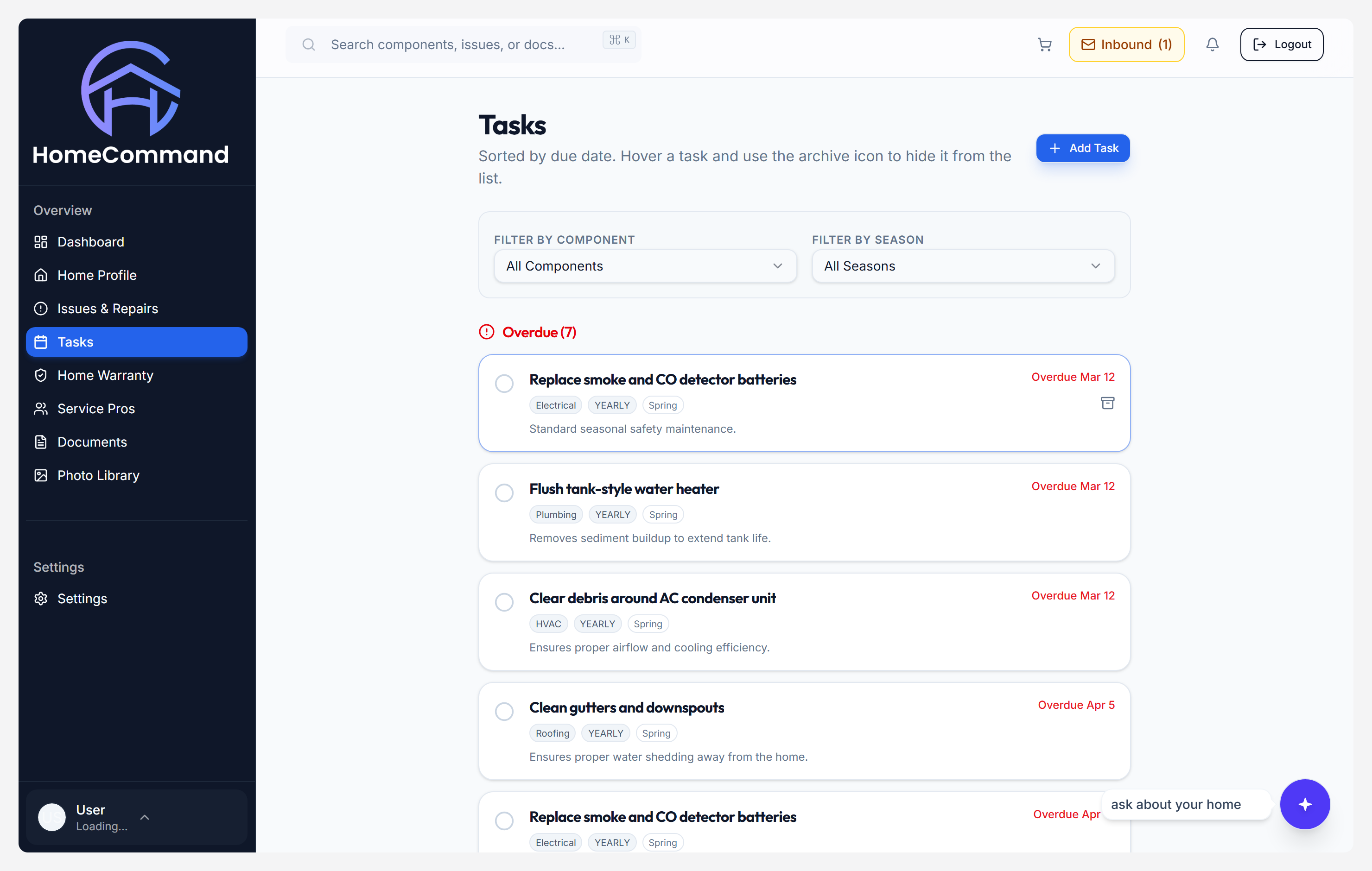
npm run capture:marketing — see website/scripts/README-SCREENSHOTS.md.
Process your inspection
Findings and equipment become structured records — the same records the maintenance engine reads.
Receive your schedule
Seasonal buckets, follow-ups, and intervals appear without you copying checklists from a blog post.
Log as you go
Check off tasks, capture dates, and keep a defensible history of what was serviced and when.
Generic checklists tell everyone to "service the HVAC." HomeCommand starts from what the inspector documented — equipment type, age cues, and notes — so the recurring work reflects the systems on your roof and in your basement, not a template house.
Four buckets of work — generated from your report on Basic, editable from day one. Add Pro later if you want warranties, invoices, and additional inspections to inform the same home record.
Seasonal tasks
Spring through winter buckets generated from your systems and inspection context — not a one-size-fits-all checklist printed from the web.
Issue follow-ups
Higher-severity findings can stay on your radar until you verify repair, so nothing “falls off” after closing day.
Service intervals
Intervals respect the equipment the inspector actually saw — age, fuel type, and notes — instead of anonymous defaults.
Custom tasks
Layer in homeowner chores, pro visits, and one-off projects next to generated tasks so the calendar matches real life.
Every task you complete becomes part of your home's running timeline — dates, notes, and what was touched. When you sell, you have a story backed by entries. When something fails, you know what was last serviced. Upload additional paperwork on Pro if you want the assistant and analytics to see the same receipts and warranties you see.
Why it matters
Homes with documented maintenance histories sell faster and at higher prices.
Buyers pay a premium for a home whose systems they can trust — and a maintenance log is proof. HomeCommand gives you that record automatically, just by logging what you do.
Start building your home's maintenance record today
Included on Basic after your first inspection is processed. Want the full document stack and AI workflows? Compare Pro →
Start for free →